
Ask a question.
Scan a bill.
Kyu AI™ works on the records already in your Kyu workspace. Smart Search answers questions in plain English. AI Accountant turns bills and receipts into drafts you can review.
Ask a question. Find the answer. Open the record.
Who still owes you money? Which supplier bills need paying? Ask Kyu AI™ Smart Search in plain English to find unpaid invoices, payments, receivables, and payables. Open linked records from the results, or export the returned table to Excel for follow-up and reporting.
- Find unpaid invoices and see remaining balances and due dates.
- Check customer payments and outstanding supplier bills.
- Open linked invoices and other individual records directly from results.
- Export your returned results to an Excel file.
- Search follows the access rights you set, so each user only finds the data they are allowed to see.
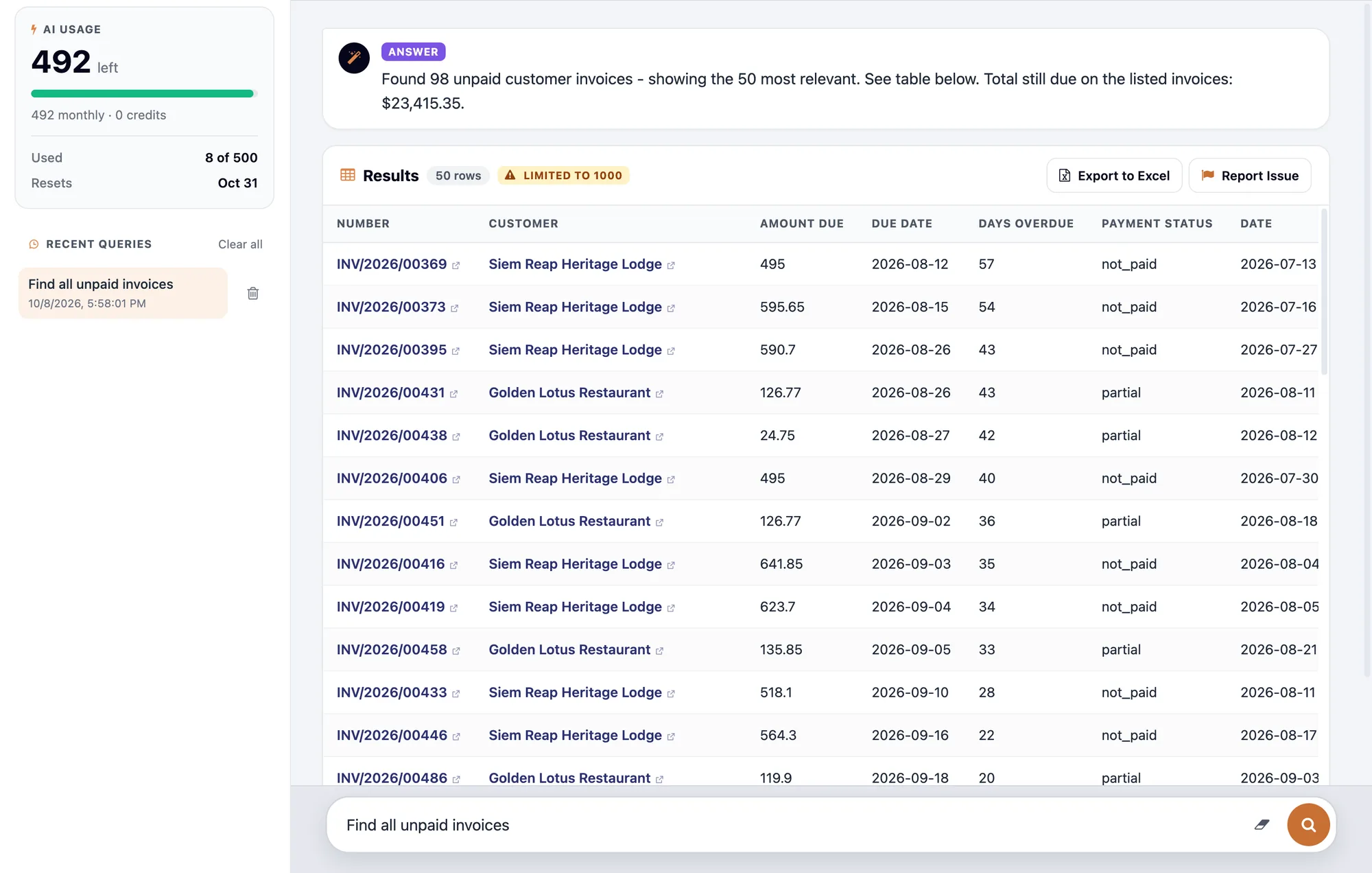
Take your search results into Excel.
Move from the answer to the work. Download the returned rows as an Excel spreadsheet for a collection list, a supplier-payment discussion, or further analysis.
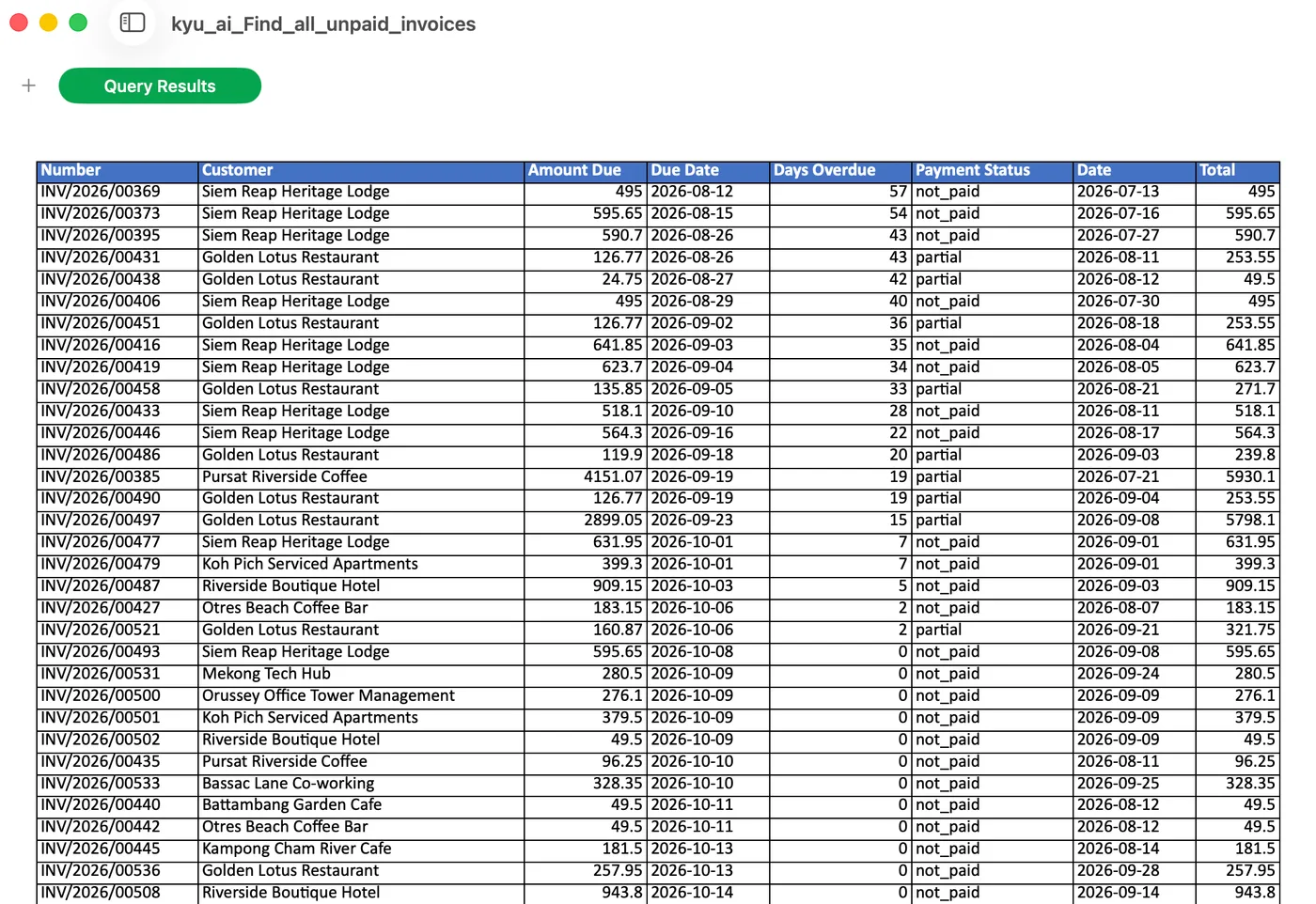
Start with the question you need answered.
Kyu searches the business records your account can access and presents the results in one place, helping owners and finance teams decide what to follow up on next.
- “Find all unpaid invoices”
- “Show me unpaid supplier bills”
- “Show me overdue customer invoices”
- “Show me accounts receivable aging”
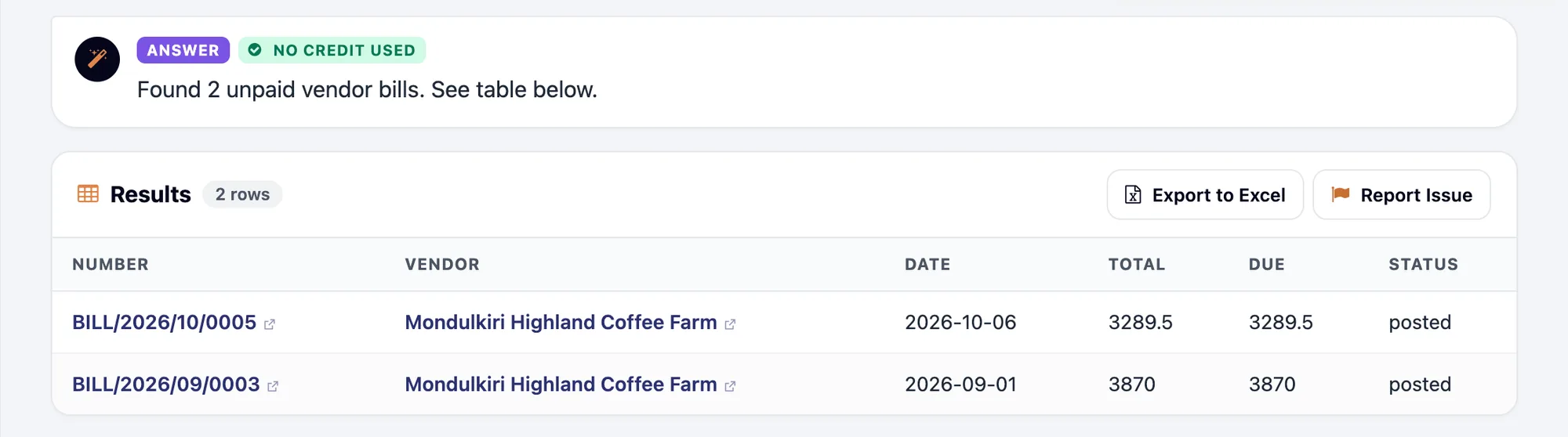
Turn bills and receipts into drafts you can review.
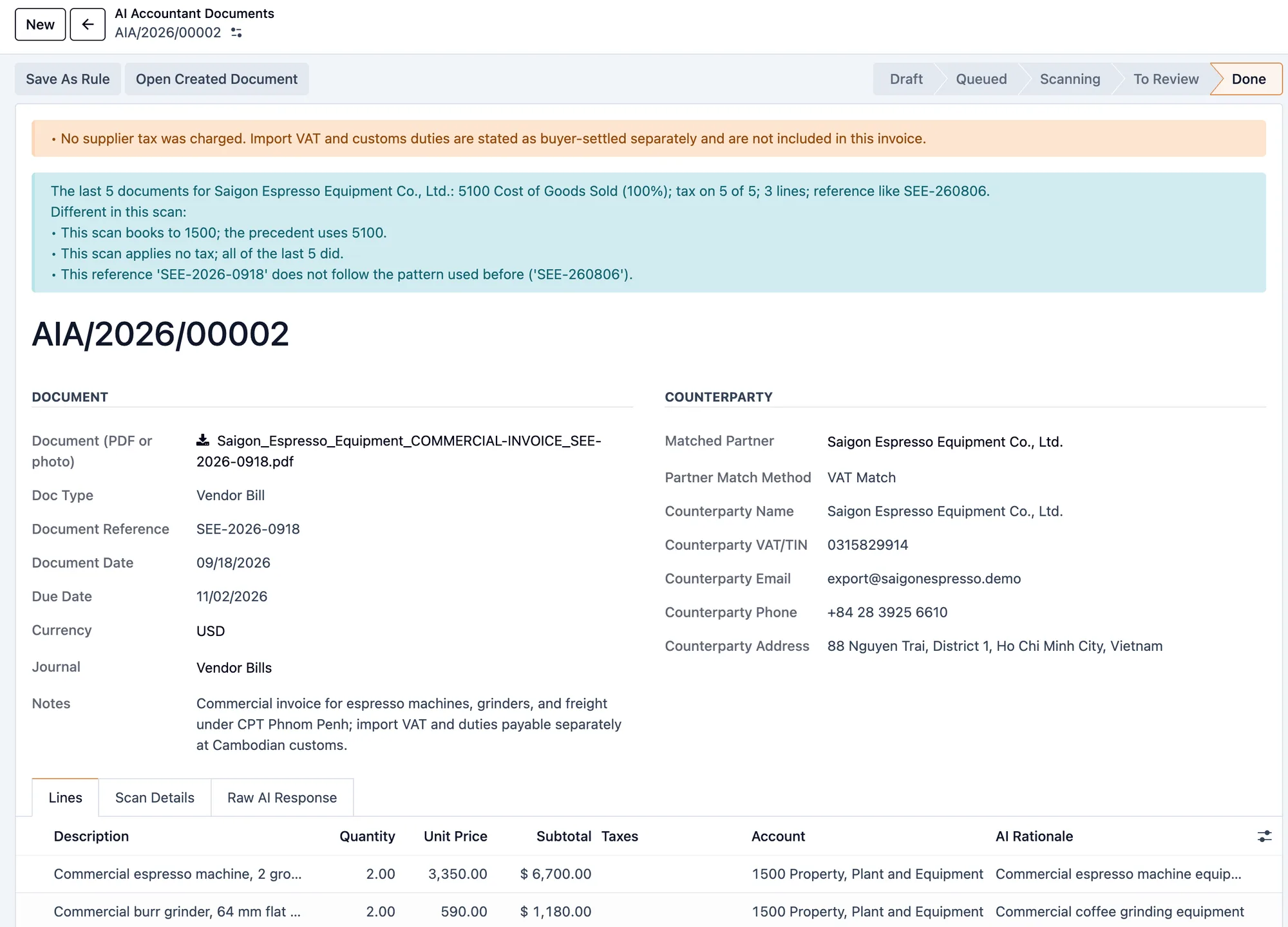
Upload a supplier bill PDF or a photo of a receipt. Kyu AI™ Accountant reads the document, extracts its details, and suggests account coding. Review and correct the result, then create a draft with the original file attached. Your accountant stays in control of final posting.
- Start from a PDF or receipt photo instead of retyping each line.
- Review supplier details, amounts, currency, taxes, and suggested accounts.
- Check possible duplicates before recording the document.
- Keep the source file attached to the resulting draft.
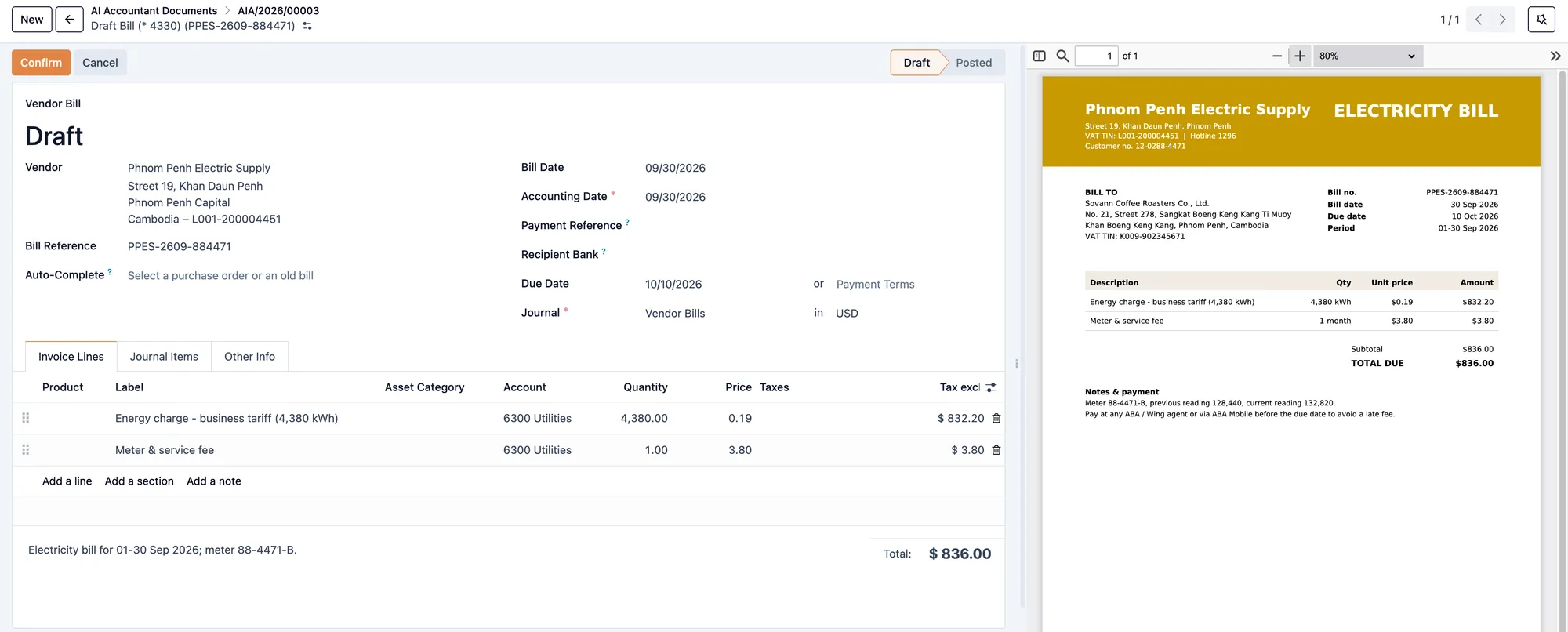
Review the extracted details before creating a draft.
Bills and receipts arrive in different formats. Kyu AI™ Accountant brings them into one review process: check the extracted details and correct anything that needs attention. Supplier matching and account suggestions help prepare the document, while you retain the final decision on how to record it.
See what Kyu can do for your business.
From chasing payments to running the till and paying your team, Kyu brings everyday business work together. Tell us how you operate, and we'll show you the workflows that matter to you.
Book a demoAvailable features depend on your subscribed modules, user access, and workspace setup. Kyu AI™ Smart Search and Kyu AI™ Accountant use your workspace's AI allowance.